
How to copy an Instagram link that a downloader can actually use
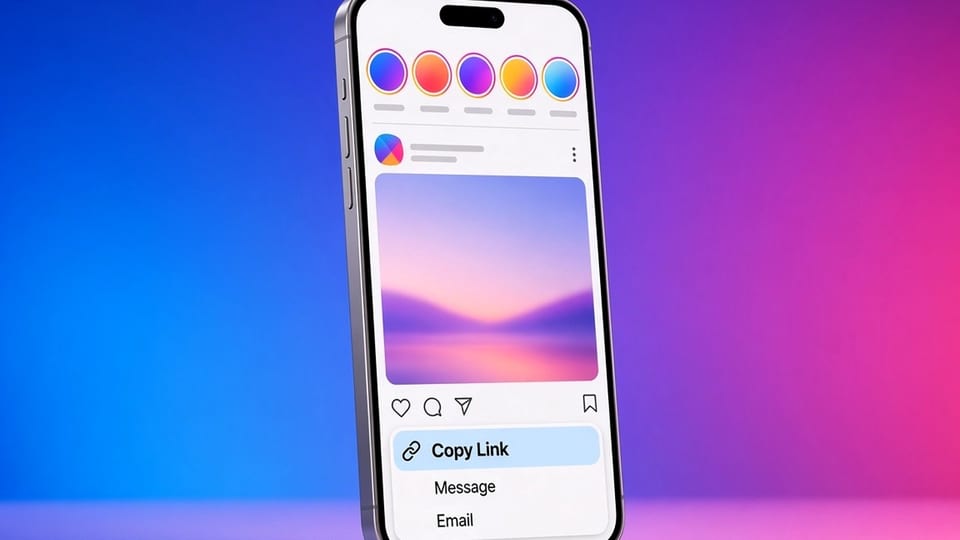
Most lookup problems start before the downloader runs. The paste box received a profile, a redirect, a truncated message, or a screenshot instead of a URL. A clean instagram.com link is the whole method. This guide shows how to copy one for a post, a Reel, a story, a highlight, and a profile, on a phone or a computer.
Insta Story Saver accepts a public link or, for some tools, a username. It cannot reconstruct a post from a picture of a screen.
Use Copy link, then look at what you copied
In the official app, open the item itself — not just the grid — and use the share sheet. Choose Copy link. Paste it into a notes app and read it before you go to the downloader. You want instagram.com and a path that matches the item: /reel/, /p/, /stories/, /stories/highlights/, or a username profile.
If you see share.instagram.com, l.instagram.com, or a shortened wrapper, open the link in a regular browser, wait until the address becomes instagram.com, and copy that. Do not paste the wrapper and hope.
If you only see a username, you copied a profile. That is useful for the Insta Profile Picture Downloader or the Insta Anonymous Story Viewer. It is the wrong paste for a specific Reel. Open the Reel and copy again. Reels vs stories vs posts can help you name the object.
Stories and highlights
Story links are easy to get wrong because the viewer is modal. Open the story or highlight, then copy from a browser address bar if the share sheet gives you only the profile. A highlight URL should contain /stories/highlights/. See how to save Instagram highlights.
Avoid the in-app browser
If you tapped a link inside Instagram and landed in its built-in browser, copy the address out and open it in Safari or Chrome. In-app browsers are a poor place to inspect a URL or to run a download. How to download Instagram stories on iPhone uses the same habit.
When the link still fails
If the URL looks right and the lookup fails, the problem is probably the audience, expiry, or a missing public file, not the copy step. Continue with troubleshooting Instagram downloads.
Desktop users can copy from instagram.com directly. Log out or use a private window if you are checking what is public, open the post, and copy the address bar. Avoid copying a URL from a preview card in a chat or an email if you can help it; those cards sometimes point at a profile or an intermediate tracking link. The address bar after a full load is the source of truth.
On Android, the share sheet can include several similar actions: copy, share to an app, or send a message. Pick copy, then paste into Notes or Chrome's address bar to confirm. On iPhone, if Copy link is hidden behind a second row of the share sheet, scroll the sheet. Some third-party keyboards also interfere with paste; if the downloader receives nothing, paste with the system keyboard once.
Do not edit the URL to "improve" it unless you know what you are removing. Stripping query parameters is sometimes fine. Changing a short code, deleting /reel/, or swapping a username by hand is how people turn a good link into a 404. If you need to send the link to yourself, send the whole string, then copy it again on the device where you will run the lookup.
If a colleague sent you a screenshot instead of a link, ask for the URL. A downloader cannot look up a screenshot. If they cannot copy the link, they can open the post in a browser and send the address. That extra step is faster than guessing a short code from a crop of a caption.
Once you have a clean URL, pick the matching tool and paste once. If you repeat this often, keep a note of the URL shapes you actually use at work. The habit becomes short, and the failures move to the cases the troubleshooting guide already covers: private accounts, expired stories, and public pages that simply do not include a file.
Group chats add their own traps. Some apps wrap every URL in a preview or a safety redirect. If a teammate pastes a link into Slack or WhatsApp, do not copy the wrapper your chat client generated. Open the preview, wait for instagram.com, and copy from the browser. If you cannot open it because you are not logged in and the post is private, that is an audience problem, not a copy problem, and a cleaner paste will not fix it.
Email newsletters sometimes turn a story mention into a button that points at a profile or a landing page. Read the destination before you paste it into Insta Story Saver. A marketing page on another domain is not a story URL.
If you are documenting a process for a team, write two examples in your internal guide: a good /reel/ link and a bad share wrapper, plus a reminder to wait for the redirect. A screenshot of the address bar is more useful than a paragraph about "copy the link" when people are in a hurry. Once the habit is in place, the downloader sees fewer mystery strings, and the remaining failures are the honest ones: private, expired, or a public page with no file.
If you do only one thing, look at the pasted URL before you press the lookup button.
Frequently asked questions
Why does a share.instagram.com link fail?
Some share links need to redirect to a permanent instagram.com address. Open the link once, wait for the address bar to settle, and copy that URL.
I copied a profile, but I wanted a post. What happened?
The share sheet sometimes copies the profile instead of the open post. Open the post or story fully, then use Copy link again.
Can I paste a username instead of a link?
A username is useful for a profile photo or a public story check. A specific Reel, post, or highlight still needs its own URL.
Does a QR code work?
If the QR opens a public post, copy the URL after the page loads. The code itself is not what you paste into the downloader.